
Previous
Form Validation 
Next
Frames 
Advanced JavaScript Tutorial
Image Control

Image Control

Now we move on to a more interesting use of javascript - manipulating images. First of all let us display an image.

<img src="images/bear.gif" alt="Picture of a Bear" />
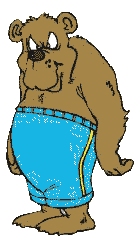
Picture of a Bear(Comic)

Wait! This is just plain HTML displaying of images. JavaScript was not used. So let us see a image that is shown using javascript...


<img name="img1">
<script>
document.images['img1'].src = "images/surgeon.gif"
</script>
A Image element with name 'img1'

In the above example, we are accessing the object called 'img1' and changing its 'src' or the source value. In effect, we are changing the picture. You can change other items like image height and width also.

document.images['img1'].src = "images/surgeon.gif"
document.images['img1'].width = 150
document.images['img1'].height = 200

Image also have other values like border, hspace, vspace etc. Now let us see how to create an Image object.

//Create the image object
var image_object = new Image();
image_object.src = "images/scientist.jpg"; //Preload the Images.

document.images['img1'].src = image_object.src; //Display the image

This will preload the image. That means that if the code is placed at the top of the file the response time will be decreased. With a little imagination you can do a lot with this little bit of code. Think of the possibilities - create an array of images and display it as animation. Or create a slide show with your images. Or you could create the most commenly seen trick with images - the roll over effect.

A picture with Rollover effects.

The above example is a mouse over effect. When you move your mouse over the given image, the image will change into some other image. Creating this effect is simple. First of all, we need the primary image.

<img name='roller' src="images/roll1.gif">

Now we add a function that will be called when the moves moves over the picture.

<img name='roller' src="images/roll1.gif" onMouseOver="changer()">

After that lets create the function 'changer()' that will do the actual changing of the picture.

<script language="javascript">
function changer() {
document.images['roller'].src = "images/roll2.gif"
}
</script>
<img name='roller' src="images/roll1.gif" onMouseOver="changer()">

Voila! Now we have a picture that will change when the mouse comes over it. Wait a minute - when the mouse moves away, the picture don't change back. We need to change that don't we?

<script language="javascript">
//Preload both the images
var images = new Array(2);
images[0] = new Image();
images[0].src = "images/roll1.gif"
images[1] = new Image();
images[1].src = "images/roll2.gif"

//Toggles the image
function changer() {
if(document.images['roller'].src == images[0].src) document.images['roller'].src = images[1].src 
else document.images['roller'].src = images[0].src 
}
</script>
<img name='roller' src="images/roll1.gif" 
	onMouseOver="changer()" onMouseOut="changer()">

Now we have a fully functional MouseOver effect. I have to admit that there is no need to use all this code to create such a simple effect. I just wanted to show you how to do it is done using the image constructor. Now let us see the easy way to do it.

<img name='roller' src="images/roll1.gif" onMouseOver="this.src='images/roll2.gif'" onMouseOut="this.src='images/roll1.gif'">

The problem with the above method is that the browser will not load the second image into the memory - making a pause between the mouseover event and the image chage. To avoid this, use the fully functional method - the former one.

Previous
Form Validation 
Next
Frames 

Comments

Desiree at 12 Aug, 2007 01:34
hi.

first of thanks for the great, great help.

i'm creating a site.and i am useing this method (the former one). also added a link to it (a link to anotherpage when the pic is clicked)
i'm using it as a button. this far everythign worked fine.

then i tried writing two after each other,(to creat a table of buttens) but only the second picture works, while the 1st doesnt change if the mouse is on it. yet both links work. septertly (in two diferent html boxes) they both work fine.

this is what i've done:


<script language="javascript">
//Preload both the images
var images = new Array(2);
images[0] = new Image();
images[0].src = "images/roll1.gif"
images[1] = new Image();
images[1].src = "images/roll2.gif"

//Toggles the image
function changer() {
	if(document.images['roller'].src == images[0].src) document.images['roller'].src = images[1].src 
	else document.images['roller'].src = images[0].src 
}
</script>
<a href="url" rel="nofollow"><img name='roller' src="images/roll1.gif" 
	onMouseOver="changer()" onMouseOut="changer()"></a>
<script language="javascript">
//Preload both the images
var images = new Array(2);
images[0] = new Image();
images[0].src = "images/roll1.gif"
images[1] = new Image();
images[1].src = "images/roll2.gif"

//Toggles the image
function changer() {
	if(document.images['roller'].src == images[0].src) document.images['roller'].src = images[1].src 
	else document.images['roller'].src = images[0].src 
}
</script>
<img name='roller' src="images/roll1.gif" 
	onMouseOver="changer()" onMouseOut="changer()" />

what do i have to add to make them both work. and im planing to add more(not just 2 picturelinks)what should i do then to make them work, if its not the same solution?

thanks in advansed.

Desiree
Reply to this.
Binny V A at 12 Aug, 2007 11:06
The reason it is not working is that you are overwriting the varaible 'images' when you are using it a second time. Also, you need to use a different image name(roller). Something like this...


<script language="javascript">
//Preload both the images
var images = {
'roller_1' : new Array(2),
'roller_2' : new Array(2)
}
//First image...
images['roller_1'][0] = new Image();
images['roller_1'][0].src = "images/roll1.gif"
images['roller_1'][1] = new Image();
images['roller_1'][1].src = "images/roll2.gif"
//Second Image...
images['roller_2'][0] = new Image();
images['roller_2'][0].src = "images/roll1.gif"
images['roller_2'][1] = new Image();
images['roller_2'][1].src = "images/roll2.gif"


//Toggles the image
function changer(img) {
if(document.images[img].src == images[img][0].src) document.images[img].src = images[img][1].src;
else document.images[img].src = images[img][0].src;
}
</script>
<a href="url" rel="nofollow"><img name='roller_1' src="images/roll1.gif"
onMouseOver="changer('roller_1')" onMouseOut="changer('roller_2')"></a>

<a href="url" rel="nofollow"><img name='roller_2' src="images/roll1.gif"
onMouseOver="changer('roller_2')" onMouseOut="changer('roller_2')"></a>


By the way, I modified your comment to format the code - I am sure you would not mind.
Reply to this.
Desiree at 13 Aug, 2007 03:41
no i dont mind at all.
thanks very very very much for the help :D
can't wait to try it out :D
Reply to this.
Desiree at 14 Aug, 2007 10:55
still with problems :( u mind giving me another hand?
the picture doesnt change when the mouse is on it.

<script language="javascript">
//Preload both the images
var images = {
	'home' : new Array(2),
	'dezzy' : new Array(2)
	'stop' : new Array(2)
	'scrap' : new Array(2),
	'guest' : new Array(2)
	'back' : new Array(2)
}
//First image...
images['home'][0] = new Image();
images['home'][0].src = "http://i172.photobucket.com/albums/w4/dezzypurplelady/HomePage.jpg" 
images['home'][1] = new Image();
images['home'][1].src = "http://i172.photobucket.com/albums/w4/dezzypurplelady/HomePage2.jpg" 
//Second Image...
images['dezzy'][0] = new Image();
images['dezzy'][0].src = "http://i172.photobucket.com/albums/w4/dezzypurplelady/AboutDezzy.jpg" 
images['dezzy'][1] = new Image();
images['dezzy'][1].src = "http://i172.photobucket.com/albums/w4/dezzypurplelady/AboutDezzy2.jpg" 
//Third Image...
images['stop'][0] = new Image();
images['stop'][0].src = "http://i172.photobucket.com/albums/w4/dezzypurplelady/Stop.jpg" 
images['stop'][1] = new Image();
images['stop'][1].src = "http://i172.photobucket.com/albums/w4/dezzypurplelady/Stop2.jpg" 
//Forth image...
images['scrap'][0] = new Image();
images['scrap'][0].src = "http://i172.photobucket.com/albums/w4/dezzypurplelady/ScrapBook.jpg" 
images['scrap'][1] = new Image();
images['scrap'][1].src = "http://i172.photobucket.com/albums/w4/dezzypurplelady/ScrapBook2.jpg" 
//Fifth Image...
images['guest'][0] = new Image();
images['guest'][0].src = "http://i172.photobucket.com/albums/w4/dezzypurplelady/GuestBook.jpg" 
images['guest'][1] = new Image();
images['guest'][1].src = "http://i172.photobucket.com/albums/w4/dezzypurplelady/GuestBook2.jpg" 
//Sixt Image...
images['back'][0] = new Image();
images['back'][0].src = "http://i172.photobucket.com/albums/w4/dezzypurplelady/Back.jpg" 
images['back'][1] = new Image();
images['back'][1].src = "http://i172.photobucket.com/albums/w4/dezzypurplelady/Back2.jpg" 


//Toggles the image
function changer(img) {
	if(document.images[img].src == images[img][0].src) document.images[img].src = images[img][1].src;
	else document.images[img].src = images[img][0].src;
}
</script>
<a href="http://pic4.piczo.com/dezzy88/?g=38045015&cr=4" rel="nofollow"<img name='home'src="http://i172.photobucket.com/albums/w4/dezzypurplelady/HomePage.jpg" BORDER="0"
	onMouseOver="changer('home')" onMouseOut="changer('home')" rel="nofollow"></a>

<a href="http://pic4.piczo.com/dezzy88/?g=38313306&cr=4" rel="nofollow"<img name='dezzy'src="http://i172.photobucket.com/albums/w4/dezzypurplelady/AboutDezzy.jpg" BORDER="0"
	onMouseOver="changer('dezzy')" onMouseOut="changer('dezzy')" rel="nofollow"></a>

<a href="http://pic4.piczo.com/dezzy88/?g=38309175&cr=4"<img name='dezzy'src="http://i172.photobucket.com/albums/w4/dezzypurplelady/Stop.jpg" BORDER="0"
	onMouseOver="changer('stop')" onMouseOut="changer('stop')" rel="nofollow"></a>

<a href=" http://pic4.piczo.com/dezzy88/?g=38309216&cr=4" rel="nofollow"<img name='home'src="http://i172.photobucket.com/albums/w4/dezzypurplelady/ScrapBook.jpg" BORDER="0"
	onMouseOver="changer('scrap')" onMouseOut="changer('scrap')" rel="nofollow"></a>

<a href="http://pic4.piczo.com/dezzy88/?g=38061846&cr=4"<img name='guest'src="http://i172.photobucket.com/albums/w4/dezzypurplelady/GuestBook.jpg" BORDER="0"
	onMouseOver="changer('guest')" onMouseOut="changer('guest')" rel="nofollow"></a>

<a href="http://pic4.piczo.com/dezzy88/?g=38045015&cr=4"<img name='back'src="http://i172.photobucket.com/albums/w4/dezzypurplelady/Back.jpg" BORDER="0"
	onMouseOver="changer('back')" onMouseOut="changer('back')" rel="nofollow"></a>
sorry to have buged u again.
Reply to this.
Binny V A at 14 Aug, 2007 01:54
Would you mind shooting me a mail - it will be much easier for me to help you. My comment moderator script makes it very hard to post a lot of code in the comments section. My email is binnyva, gmail.
Reply to this.
Desiree at 15 Aug, 2007 02:18
thanks :D ok i'll email you. You can delete my coments, do as u wish :D
Reply to this.
Anonymous at 07 Apr, 2008 09:14
well done but i still feel that we can use applets to play with pictures rather than use JS
Reply to this.
Anonymous at 17 May, 2008 05:36
I want to be able to put a snipet of code into the side bar of every page that will let me simply update the banner (w/links) on one page and have them change on all pages. Do you know how this can be arranged?

thanks

Kurt
Reply to this.
Melissa at 28 Feb, 2009 10:42
Hi,

I am looking to display many pictures, in either a manual slideshow or horizontal scroll bar type in piczo.com. Nothing automatic like Slide. I've tried many codes but the picture never shows up the day after.

Any idea why?

Melissa
Reply to this.
Comment

Please dont enter you comments in this form - this is a fake form to confuse spamming bots. The next form is the real one.


Comment


Comment Formating : HTML tags a, strong, em, b, i, code, pre, p and br allowed. Other tags will be shown as code(< will become &lt;). Urls, Line breaks will be auto-formated.